
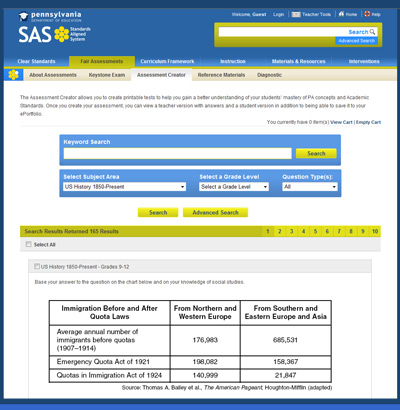
 SAS Assessment Creator
In an effort to help teachers create assessments that are fully aligned to the standards, the SAS Portal includes an easy to use Assessment Creator. This tool enables teachers to create customized formative, summative, diagnostic, or benchmark assessments.
To create an assessment, select the appropriate subject area and grade. You can also narrow the search by entering keywords, or questions types. The Assessment Creator will return a list of questions that are aligned to the standards for the subject area and grade. Use the checkbox on the upper right of each question to add it to your assessment. When you are finished choosing questions you can save or print your assessment and the answer sheet.
For more Information:
You should consider using the Assessment Creator as a tool to inspire your own formative assessments. Once you are familiar with the types of questions that align to the standards, you can modify and create new questions that best suit your instruction. For instance, you may find that the Assessment Creator contains a multiple choice question on a subject of study. Though it is a great question to measure students' recall of facts, it does not adequately measure their critical thinking skills. Instead of asking the students which of the four answers is correct, you could ask them "why do you think the answer is correct?" This open-ended question adds a compelling why that engages the students' higher thinking, elicits a personalized response, and measures their depth of knowledge on the subject.